









Blog

  • Should You Buy the Latest Flagship Phone or Wait for Regional Price Drops?

    Flagship phones launch with sky-high price tags that make your wallet weep. Three months later, the same device sits on shelves with a discount sticker. Six months in, and you’re wondering why you ever considered paying full price. The question isn’t whether prices will drop. They always do. The real question is how long you should wait and what you’ll miss while waiting.

    Key Takeaway

    Flagship phone prices drop 15-25% within three to four months of launch in Middle Eastern markets. Waiting saves money but means missing early features and trade-in value. The sweet spot depends on your current phone’s condition, upcoming releases, and regional retailer competition. Black Friday and pre-launch periods offer the best deals on previous generation flagships.

    Understanding Middle Eastern price patterns

    The UAE, Saudi Arabia, and broader GCC markets follow predictable pricing patterns that differ from Western markets. Retailers here face unique pressures.

    Import duties, distribution costs, and intense competition between Dubai’s electronics souks and big-box retailers create faster price erosion than you’d see in Europe or North America. A phone that takes six months to drop 20% in the US might hit that mark in three months here.

    Launch day pricing often includes a “early adopter tax” of 10-15% above what the market will eventually settle at. Retailers know enthusiasts will pay premium prices for bragging rights. They also know that within weeks, competition will force adjustments.

    Regional exclusives and carrier partnerships complicate the picture. Etisalat and du bundles might offer better effective pricing than outright purchases, but lock you into contracts. Noon, Amazon.ae, and Sharaf DG run flash sales that undercut official channels.

    Currency fluctuations matter more here than in single-currency markets. When the dollar strengthens against regional currencies, import costs rise. When it weakens, you might see surprise discounts as retailers maintain margins.

    The three-month rule and its exceptions

    Most flagship phones hit their first significant discount around 90 days after launch. This isn’t random. It aligns with quarterly sales targets, inventory cycles, and the psychological moment when hype fades.

    Here’s what typically happens:

    Month 1: Full retail price, minimal stock, long waitlists. Early reviews surface. Initial bugs get patched.

    Month 2: Stock normalizes. First minor promotions appear, usually bundled accessories rather than price cuts. Trade-in offers improve slightly.

    Month 3: Real discounts emerge. 10-15% off becomes standard. Retailers clear inventory ahead of next quarter. This is when patient shoppers start seeing value.

    Month 4-6: Steeper drops, especially if a new model looms. 20-25% off is achievable. Older colors and storage configurations see deeper cuts.

    Exceptions exist. Apple products hold value longer. iPhones rarely see significant discounts in the first six months unless retailers run loss-leader promotions. Samsung flagships drop faster, especially the S-series. Chinese brands like Xiaomi and OnePlus discount aggressively within weeks.

    Limited editions and special colors maintain pricing longer. That exclusive finish you love? It won’t discount as fast as the standard black or silver model.

    When waiting costs you more than money

    Price isn’t the only factor. Waiting has hidden costs that don’t show up on spec sheets.

    Your current phone degrades while you wait. Battery capacity drops. Software updates slow performance. The camera that was fine six months ago now feels sluggish compared to newer models. If your phone is barely functional, waiting three months might mean expensive repairs or a cheap interim device.

    Trade-in values crater over time. That two-year-old flagship worth 800 AED today might fetch 500 AED in three months. The discount you gain by waiting could be smaller than the trade-in value you lose.

    Software support windows shrink. Buying a phone four months after launch means four fewer months of guaranteed updates. For Android devices with three years of support, that’s over 10% of the device’s supported lifespan.

    Early adopters get longer to enjoy new features. Camera improvements, display technology, and performance gains compound over time. Using a better camera for six extra months means hundreds of better photos. That has value, even if it’s hard to quantify.

    Regional timing advantages you can exploit

    Middle Eastern markets offer timing opportunities that don’t exist elsewhere.

    Ramadan sales: Retailers run aggressive promotions during Ramadan, typically offering 15-20% off electronics. If a flagship launched two months before Ramadan, you hit the sweet spot of natural price erosion plus seasonal discounts.

    Dubai Shopping Festival: January and February bring city-wide discounts. Phones launched in October or November see their best prices during DSF.

    Back to school: August and September promotions target students. Less aggressive than Ramadan or DSF, but still 10-15% off regular pricing.

    Pre-launch clearance: Two weeks before a new flagship launches, retailers slash prices on the outgoing model. This is the single best time to buy if you don’t need the latest release. You’ll see 25-35% off, sometimes more.

    Travel creates arbitrage opportunities. Prices in Dubai often undercut Abu Dhabi or Riyadh. If you’re traveling for other reasons, checking prices across cities can save hundreds of dirhams. Just verify warranty coverage works across borders.

    The calculation you need to run

    Stop guessing. Run the actual numbers for your situation.

    1. Check your current phone’s trade-in value today on Dubizzle, Noon, or manufacturer trade-in programs
    2. Project what it will be worth in three months based on historical depreciation (typically 20-30% per quarter for two-year-old devices)
    3. Estimate the discount you’ll get by waiting (use the table below as a guide)
    4. Calculate net savings: (Future discount) minus (Trade-in value loss) minus (Repair costs if your current phone breaks)
    5. Decide if that number justifies waiting

    Most people skip step two and four. They focus only on the discount without accounting for what they lose by waiting.

    Timing Expected Discount Trade-in Impact Best For
    Launch day 0% Maximum trade-in value Early adopters, broken current phones
    1-2 months 5-8% 10% trade-in drop Enthusiasts who want new features
    3-4 months 15-20% 20% trade-in drop Balanced approach, functional current phone
    6+ months 25-35% 30-40% trade-in drop Budget focus, excellent current phone
    Pre-successor launch 30-40% Trade-in nearly worthless Maximum savings, don’t need latest

    What the specs tell you about waiting

    Not all flagship launches are equal. The size of the upgrade determines how fast prices fall and whether waiting makes sense.

    Incremental updates see faster discounts. When a new model offers minor camera improvements and a slightly faster processor, retailers know consumers won’t pay full premium. Prices adjust faster.

    Revolutionary features hold value. When folding screens first appeared, prices stayed high for months. When Apple introduced 120Hz displays, discounts came slowly. True innovations resist price erosion.

    Read early reviews with this lens. If reviewers say “great phone, but not a huge upgrade,” that’s a signal prices will drop fast. If they’re genuinely excited about new capabilities, expect prices to hold.

    Storage configurations matter. Base models with 128GB discount faster than 512GB or 1TB versions. Fewer people need massive storage, so premium configurations hold value better. If you can live with less storage, you’ll find better deals.

    The biggest mistake I see is people waiting for a discount on a phone they don’t actually need. If your current device works fine, the best financial move is often not buying at all. But if you genuinely need an upgrade, waiting three months hits the sweet spot between savings and usability. Anything longer and you’re just delaying inevitable depreciation on your current device.

    Common mistakes that waste money

    Smart shoppers still make predictable errors.

    Waiting for a discount that never comes: Apple products, especially iPhones, rarely see the 30% discounts that Android flagships get. If you’re set on an iPhone, waiting six months might save you 10%, not 30%. Adjust expectations by brand.

    Ignoring total cost of ownership: A phone 200 AED cheaper upfront but with one less year of software support costs more long-term. Factor in how long you’ll keep the device.

    Buying at the wrong capacity: The 256GB model at 15% off might cost the same as the 512GB model at 10% off. Do the math on actual prices, not just percentages.

    Forgetting about accessories: Launch bundles often include cases, chargers, or earbuds worth 200-400 AED. A phone at full price with 400 AED of accessories might beat a 10% discount with nothing included.

    Chasing discounts across borders: That phone 300 AED cheaper in another country might lack regional warranty support. Saving money upfront means paying full price for repairs later.

    Overlooking refurbished and open-box: Certified refurbished flagships from official channels offer 20-30% savings with full warranty. Open-box returns save 10-15%. Both options get you a flagship immediately at future prices.

    How release cycles affect your decision

    Smartphone release calendars follow predictable patterns. Use them.

    • Samsung Galaxy S-series: February launch. Best prices in May-June and November-December.
    • Samsung Galaxy Z Fold/Flip: August launch. Best prices in November-December and January (DSF).
    • Apple iPhone: September launch. Best prices in January-February and July-August.
    • Google Pixel: October launch. Best prices in January-March.
    • OnePlus flagship: March-April launch. Best prices in June-August.

    If you’re shopping in March and the Samsung S-series just launched, waiting three months makes sense. If you’re shopping in November and the next S-series is three months away, waiting means you’ll want to wait even longer for the new model to drop in price. You enter an endless waiting loop.

    The worst time to buy is one month before a new release. You pay near-full price for a phone about to be superseded. The best time is two weeks before the new release, when clearance pricing hits hard.

    Making the decision with confidence

    You’ve read the patterns. You’ve run the numbers. Now decide.

    If your current phone is broken or barely functional, buy now. The stress and inconvenience of a failing device outweighs any discount.

    If your current phone works fine and a new flagship just launched, wait three months. Set a calendar reminder. Check prices then.

    If a new flagship launches in 4-6 weeks, wait for it, then buy the previous generation at clearance pricing. You’ll get 80-90% of the performance at 60-70% of the cost.

    If you’re an enthusiast who genuinely values having the latest features and will keep the phone for three years, buy at launch. The per-day cost difference is minimal over a long ownership period.

    If you’re budget-focused and your current phone works, wait for the pre-successor launch clearance. It requires patience, but delivers maximum savings.

    Your phone, your timeline, your choice

    Asking whether you should wait to buy a flagship phone is really asking what you value. Savings? Latest features? Avoiding hassle? There’s no universal answer, only the right answer for your situation.

    Run the numbers. Check the calendar. Be honest about your current phone’s condition and your actual needs. The market will always offer another deal, another launch, another discount. But your time and peace of mind have value too.

    The best phone is the one that works when you need it, costs what you can afford, and doesn’t make you second-guess the decision six months later.

  • Best Gaming Laptops Under 5000 AED Available in UAE and Saudi Arabia

    Best Gaming Laptops Under 5000 AED Available in UAE and Saudi Arabia

    Finding a solid gaming laptop that doesn’t drain your bank account can feel like searching for treasure in the desert. Good news: the 5000 AED price point has become a sweet spot for gamers in UAE and Saudi Arabia. You can now snag machines with dedicated graphics cards, fast processors, and decent cooling systems without breaking the 5000 dirham barrier. The market has shifted dramatically in the past year, with brands like Lenovo, Acer, and ASUS pushing powerful hardware into more affordable price brackets.

    Key Takeaway

    Gaming laptops under 5000 AED in UAE now offer RTX 3050 graphics, Intel Core i5 or AMD Ryzen 5 processors, and 16GB RAM. Top picks include the Lenovo LOQ, Acer Nitro 5, and ASUS TUF Gaming series. Focus on GPU performance, cooling systems, and screen refresh rates. Shop during Ramadan sales or back-to-school periods for best deals. Always check warranty coverage and local service centers before buying.

    What You Actually Get for 5000 AED

    The gaming laptop market in UAE has matured considerably. Five thousand dirhams used to mean compromises everywhere. Now it gets you legitimate 1080p gaming performance.

    Most laptops in this range pack NVIDIA RTX 3050 or GTX 1650 graphics cards. These handle modern games at medium to high settings. You won’t max out Cyberpunk 2077, but Valorant, FIFA, and even Call of Duty run smoothly.

    Processors typically include Intel Core i5 11th or 12th generation chips. AMD alternatives like the Ryzen 5 5600H offer similar performance, sometimes better multi-core scores. Both handle gaming and everyday tasks without hiccups.

    RAM configurations usually start at 8GB but stretch to 16GB. The difference matters. Games like Warzone or Apex Legends run noticeably smoother with 16GB. Many models let you upgrade later, which saves money upfront.

    Storage comes as 512GB SSDs in most cases. Some budget options still use 256GB, which fills up fast with modern game files. Look for models with extra M.2 slots for future expansion.

    Display quality varies wildly. Base models offer 60Hz panels, adequate but not ideal. Better options include 120Hz or 144Hz screens that make competitive gaming feel responsive. IPS panels beat TN screens for color accuracy and viewing angles.

    Top Gaming Laptops Under 5000 AED Right Now

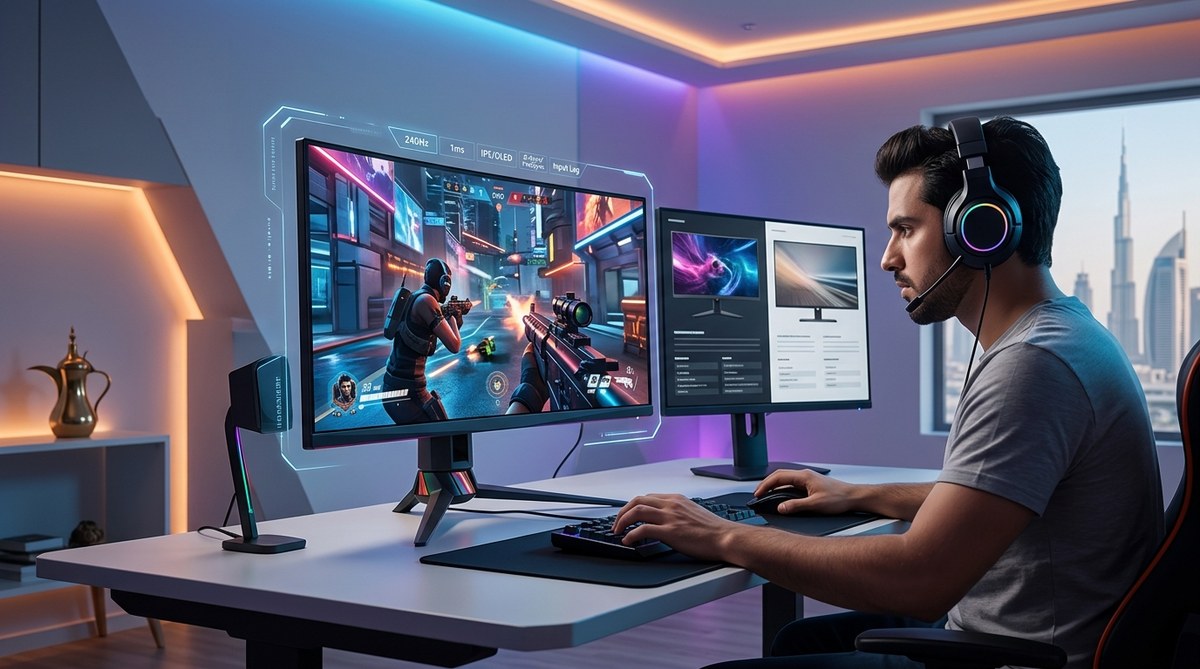
    Best Gaming Laptops Under 5000 AED Available in UAE and Saudi Arabia - Illustration 1

    Here are the machines actually available in UAE stores and online retailers:

    Lenovo LOQ 15IAX9
    This laptop punches above its weight. The RTX 3050 GPU handles most games at 1080p. The 15.6-inch 144Hz display makes fast-paced shooters feel smooth. Cooling stays adequate even during long sessions. Prices hover around 4200 to 4500 AED depending on sales.

    Acer Nitro 5 AN515-58
    A familiar face in the budget gaming space. The Nitro 5 combines Intel Core i5-12500H with RTX 3050 graphics. Build quality feels solid despite the plastic chassis. The keyboard offers decent travel for typing and gaming. Expect to pay 4500 to 4800 AED.

    ASUS TUF Gaming F15
    Military-grade durability standards make this laptop tough. The AMD Ryzen 5 or Intel i5 variants both perform well. Screen options include 144Hz panels with good brightness. Battery life surprises at around 5 hours for regular use. Pricing sits between 4300 and 4900 AED.

    HP Victus 15
    HP’s gaming entry offers clean aesthetics without aggressive gamer styling. Performance matches competitors with similar specs. The thermal design keeps things cool enough. Some configurations include RGB keyboard backlighting. Available from 4200 AED upward.

    MSI GF63 Thin
    Slimmer than most gaming laptops at this price. The trade-off comes in thermal performance under heavy load. Still handles gaming sessions well with occasional breaks. Good choice if portability matters. Prices range from 3900 to 4500 AED.

    How to Choose the Right One for Your Needs

    Follow this process to narrow down options:

    1. List the games you actually play most often
    2. Check recommended specs for those titles
    3. Match GPU requirements first, then processor
    4. Verify RAM and storage meet your needs
    5. Test the keyboard and trackpad in person if possible
    6. Read reviews about cooling performance
    7. Confirm warranty coverage in your emirate

    GPU matters most for gaming performance. An RTX 3050 beats a GTX 1650 Ti significantly in ray tracing and DLSS support. The 1650 still handles esports titles and older AAA games fine.

    Processor choice affects longevity. A 12th gen Intel i5 or Ryzen 5 5600H will stay relevant longer than older chips. Single-core speed helps gaming, multi-core helps streaming or content creation.

    Screen refresh rate changes how games feel. A 144Hz panel makes aiming in FPS games more precise. The difference from 60Hz is immediately noticeable. Color accuracy matters less for gaming than response time.

    Where to Buy in UAE and Saudi Arabia

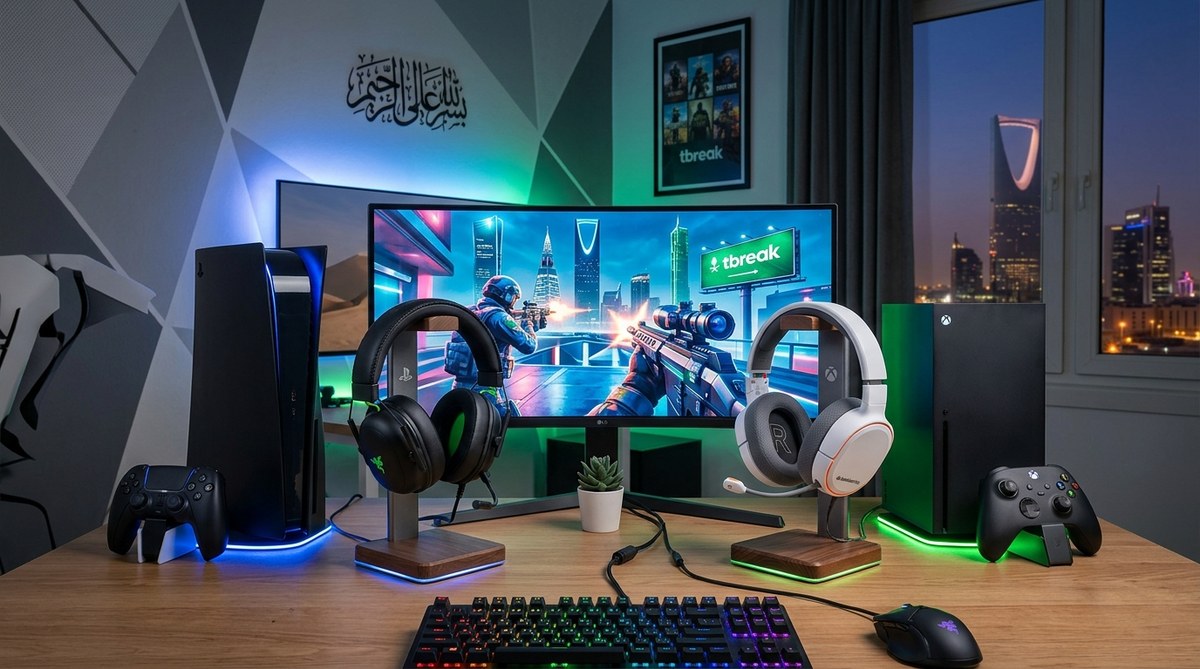
    Best Gaming Laptops Under 5000 AED Available in UAE and Saudi Arabia - Illustration 2

    Physical stores let you see build quality firsthand. Major retailers include:

    • Sharaf DG across Dubai and Abu Dhabi
    • Jumbo Electronics in multiple malls
    • Emax stores throughout UAE
    • Extra stores in Saudi Arabia
    • Jarir Bookstore for Saudi shoppers

    Online options often beat store prices:

    • Noon.com runs frequent tech sales
    • Amazon.ae offers international models
    • Microless.com specializes in gaming hardware
    • Carrefour UAE stocks budget options
    • Newegg ships to both countries

    Check multiple sources before buying. Prices fluctuate weekly, especially during sale periods. Ramadan, back-to-school season, and White Friday bring the deepest discounts.

    Warranty matters more than you think. International warranties might not cover service in UAE. Verify local support centers exist for your chosen brand. ASUS, Lenovo, and HP maintain good service networks regionally.

    Performance Expectations at This Price Point

    Setting realistic expectations prevents disappointment. Here’s what different games actually run like:

    Game Title Settings Expected FPS Notes
    Valorant High 120-144 Competitive advantage with high refresh
    FIFA 24 Ultra 90-120 Smooth gameplay, good visuals
    Call of Duty Warzone Medium 60-80 Playable, some settings reduced
    Cyberpunk 2077 Low-Medium 40-50 Struggles without DLSS
    Fortnite High 80-100 Good balance of quality and performance
    Apex Legends Medium-High 70-90 Competitive framerates achievable

    These numbers assume RTX 3050 or equivalent GPU with 16GB RAM. Your mileage varies based on exact configuration and game updates.

    Thermal throttling affects sustained performance. Gaming laptops at this price point run warm. Most hit 80-85°C under load, which is normal. Anything above 90°C consistently means inadequate cooling.

    Battery life during gaming stays poor across the board. Expect 1.5 to 2 hours maximum on battery while gaming. These machines need wall power for serious play sessions. Regular tasks like browsing or videos stretch to 4-6 hours.

    Common Mistakes to Avoid

    Budget gaming laptop shopping comes with traps:

    Buying last-gen GPUs at new prices
    A GTX 1650 laptop shouldn’t cost more than 3500 AED in 2025. Retailers sometimes price old stock too high. Check GPU generation before paying.

    Ignoring RAM configuration
    Single-channel 8GB RAM cripples performance. Dual-channel 16GB costs maybe 300 AED more but doubles gaming smoothness. The upgrade pays for itself in experience.

    Skipping cooling pad budgets
    A decent cooling pad costs 100-150 AED. It extends laptop lifespan and maintains performance. Consider it mandatory, not optional.

    Forgetting about game storage needs
    Modern games eat 50-100GB each. A 256GB SSD fills instantly. Either buy 512GB minimum or budget for external storage.

    Trusting display specs without verification
    Some “144Hz” panels have poor color or ghosting. Check actual reviews with display measurements. Not all high refresh screens perform equally.

    “The biggest mistake I see is people buying based on brand loyalty instead of specs. At the 5000 AED price point, every brand makes compromises somewhere. Compare the actual hardware, not the logo on the lid.” – Tech retailer in Dubai Mall

    Upgrading and Future-Proofing

    Most gaming laptops in this range allow some upgrades:

    RAM slots usually support up to 32GB total. Upgrading from 8GB to 16GB costs around 200-300 AED for decent DDR4. The performance boost justifies the cost immediately.

    Storage expansion works through M.2 slots. Many laptops include one empty slot for adding another SSD. A 512GB NVMe drive runs 250-400 AED depending on brand and speed.

    GPU and CPU remain soldered and non-upgradeable. The graphics card you buy is what you keep. This makes initial GPU choice critical for longevity.

    Thermal paste replacement after a year improves temperatures. Most users never do this, but enthusiasts see 5-10°C drops. Local computer shops charge 100-150 AED for the service.

    Making Your Budget Stretch Further

    Smart shopping adds value without spending more:

    • Wait for seasonal sales rather than buying immediately
    • Check refurbished or open-box options from reputable sellers
    • Bundle deals sometimes include gaming mice or headsets
    • Credit card promotions offer installment plans without interest
    • Student discounts apply at some retailers with valid ID

    Trade-in programs exist but rarely offer good value. Selling your old laptop privately on Dubizzle or similar platforms nets more money. Just factor in the time and effort required.

    Extended warranties make sense for gaming laptops. The extra heat and stress from gaming increases failure rates. An additional year of coverage costs 300-500 AED but provides peace of mind.

    Software and Setup Tips

    Getting the most from your new gaming laptop requires some tweaking:

    Update all drivers immediately after purchase. GPU drivers especially affect gaming performance. NVIDIA GeForce Experience or AMD Adrenalin software automate this process.

    Disable bloatware that manufacturers preinstall. Programs like McAfee trials or promotional software waste resources. Uninstall anything you don’t recognize or need.

    Set power profiles correctly. Windows balanced mode works for general use. High performance mode helps gaming but drains battery faster. Switch between them based on activity.

    Monitor temperatures with free software like HWMonitor. Knowing your baseline temps helps identify problems early. Most gaming laptops run 75-85°C while gaming normally.

    Keep the laptop elevated for airflow. Even a simple book under the back edge helps. Proper cooling pads work better but cost extra.

    Regional Considerations for UAE and Saudi Buyers

    Shopping in the Middle East comes with specific factors:

    Keyboard layouts vary between stores. Arabic/English keyboards are common. US English layouts exist but cost more as imports. Check before buying if layout matters to you.

    Voltage and plugs match regional standards. UAE uses UK-style three-pin plugs. Saudi Arabia uses various types. Adapters are cheap but annoying to manage.

    Summer temperatures affect laptop cooling. Dubai summers push ambient temps to 40°C+. Gaming laptops struggle more in hot rooms. Air conditioning becomes mandatory, not optional.

    Import duties apply to personal imports over certain values. Buying locally avoids customs hassles. International shipping also adds time and risk.

    Your Next Gaming Session Starts Here

    The gaming laptop market under 5000 AED has never offered better value. You’re no longer choosing between performance and price. Both come together in machines that handle modern games respectably.

    Start by identifying your must-have games and their requirements. Match those needs to available laptops in your budget. Don’t overspend on features you won’t use. A 144Hz screen matters for competitive shooters but means little for RPG fans.

    Visit stores to test keyboards and build quality. Online specs tell part of the story. How a laptop feels during actual use matters just as much. The right gaming laptop becomes your portal to countless hours of entertainment. Choose wisely, and it’ll serve you well for years.

  • Should You Buy the Latest Flagship Phone or Wait for Regional Price Drops?

    Flagship phones launch with sky-high price tags that make your wallet weep. Three months later, the same device sits on shelves with a discount sticker. Six months in, and you’re wondering why you ever considered paying full price. The question isn’t whether prices will drop. They always do. The real question is how long you should wait and what you’ll miss while waiting.

    Key Takeaway

    Flagship phone prices drop 15-25% within three to four months of launch in Middle Eastern markets. Waiting saves money but means missing early features and trade-in value. The sweet spot depends on your current phone’s condition, upcoming releases, and regional retailer competition. Black Friday and pre-launch periods offer the best deals on previous generation flagships.

    Understanding Middle Eastern price patterns

    The UAE, Saudi Arabia, and broader GCC markets follow predictable pricing patterns that differ from Western markets. Retailers here face unique pressures.

    Import duties, distribution costs, and intense competition between Dubai’s electronics souks and big-box retailers create faster price erosion than you’d see in Europe or North America. A phone that takes six months to drop 20% in the US might hit that mark in three months here.

    Launch day pricing often includes a “early adopter tax” of 10-15% above what the market will eventually settle at. Retailers know enthusiasts will pay premium prices for bragging rights. They also know that within weeks, competition will force adjustments.

    Regional exclusives and carrier partnerships complicate the picture. Etisalat and du bundles might offer better effective pricing than outright purchases, but lock you into contracts. Noon, Amazon.ae, and Sharaf DG run flash sales that undercut official channels.

    Currency fluctuations matter more here than in single-currency markets. When the dollar strengthens against regional currencies, import costs rise. When it weakens, you might see surprise discounts as retailers maintain margins.

    The three-month rule and its exceptions

    Most flagship phones hit their first significant discount around 90 days after launch. This isn’t random. It aligns with quarterly sales targets, inventory cycles, and the psychological moment when hype fades.

    Here’s what typically happens:

    Month 1: Full retail price, minimal stock, long waitlists. Early reviews surface. Initial bugs get patched.

    Month 2: Stock normalizes. First minor promotions appear, usually bundled accessories rather than price cuts. Trade-in offers improve slightly.

    Month 3: Real discounts emerge. 10-15% off becomes standard. Retailers clear inventory ahead of next quarter. This is when patient shoppers start seeing value.

    Month 4-6: Steeper drops, especially if a new model looms. 20-25% off is achievable. Older colors and storage configurations see deeper cuts.

    Exceptions exist. Apple products hold value longer. iPhones rarely see significant discounts in the first six months unless retailers run loss-leader promotions. Samsung flagships drop faster, especially the S-series. Chinese brands like Xiaomi and OnePlus discount aggressively within weeks.

    Limited editions and special colors maintain pricing longer. That exclusive finish you love? It won’t discount as fast as the standard black or silver model.

    When waiting costs you more than money

    Price isn’t the only factor. Waiting has hidden costs that don’t show up on spec sheets.

    Your current phone degrades while you wait. Battery capacity drops. Software updates slow performance. The camera that was fine six months ago now feels sluggish compared to newer models. If your phone is barely functional, waiting three months might mean expensive repairs or a cheap interim device.

    Trade-in values crater over time. That two-year-old flagship worth 800 AED today might fetch 500 AED in three months. The discount you gain by waiting could be smaller than the trade-in value you lose.

    Software support windows shrink. Buying a phone four months after launch means four fewer months of guaranteed updates. For Android devices with three years of support, that’s over 10% of the device’s supported lifespan.

    Early adopters get longer to enjoy new features. Camera improvements, display technology, and performance gains compound over time. Using a better camera for six extra months means hundreds of better photos. That has value, even if it’s hard to quantify.

    Regional timing advantages you can exploit

    Middle Eastern markets offer timing opportunities that don’t exist elsewhere.

    Ramadan sales: Retailers run aggressive promotions during Ramadan, typically offering 15-20% off electronics. If a flagship launched two months before Ramadan, you hit the sweet spot of natural price erosion plus seasonal discounts.

    Dubai Shopping Festival: January and February bring city-wide discounts. Phones launched in October or November see their best prices during DSF.

    Back to school: August and September promotions target students. Less aggressive than Ramadan or DSF, but still 10-15% off regular pricing.

    Pre-launch clearance: Two weeks before a new flagship launches, retailers slash prices on the outgoing model. This is the single best time to buy if you don’t need the latest release. You’ll see 25-35% off, sometimes more.

    Travel creates arbitrage opportunities. Prices in Dubai often undercut Abu Dhabi or Riyadh. If you’re traveling for other reasons, checking prices across cities can save hundreds of dirhams. Just verify warranty coverage works across borders.

    The calculation you need to run

    Stop guessing. Run the actual numbers for your situation.

    1. Check your current phone’s trade-in value today on Dubizzle, Noon, or manufacturer trade-in programs
    2. Project what it will be worth in three months based on historical depreciation (typically 20-30% per quarter for two-year-old devices)
    3. Estimate the discount you’ll get by waiting (use the table below as a guide)
    4. Calculate net savings: (Future discount) minus (Trade-in value loss) minus (Repair costs if your current phone breaks)
    5. Decide if that number justifies waiting

    Most people skip step two and four. They focus only on the discount without accounting for what they lose by waiting.

    Timing Expected Discount Trade-in Impact Best For
    Launch day 0% Maximum trade-in value Early adopters, broken current phones
    1-2 months 5-8% 10% trade-in drop Enthusiasts who want new features
    3-4 months 15-20% 20% trade-in drop Balanced approach, functional current phone
    6+ months 25-35% 30-40% trade-in drop Budget focus, excellent current phone
    Pre-successor launch 30-40% Trade-in nearly worthless Maximum savings, don’t need latest

    What the specs tell you about waiting

    Not all flagship launches are equal. The size of the upgrade determines how fast prices fall and whether waiting makes sense.

    Incremental updates see faster discounts. When a new model offers minor camera improvements and a slightly faster processor, retailers know consumers won’t pay full premium. Prices adjust faster.

    Revolutionary features hold value. When folding screens first appeared, prices stayed high for months. When Apple introduced 120Hz displays, discounts came slowly. True innovations resist price erosion.

    Read early reviews with this lens. If reviewers say “great phone, but not a huge upgrade,” that’s a signal prices will drop fast. If they’re genuinely excited about new capabilities, expect prices to hold.

    Storage configurations matter. Base models with 128GB discount faster than 512GB or 1TB versions. Fewer people need massive storage, so premium configurations hold value better. If you can live with less storage, you’ll find better deals.

    The biggest mistake I see is people waiting for a discount on a phone they don’t actually need. If your current device works fine, the best financial move is often not buying at all. But if you genuinely need an upgrade, waiting three months hits the sweet spot between savings and usability. Anything longer and you’re just delaying inevitable depreciation on your current device.

    Common mistakes that waste money

    Smart shoppers still make predictable errors.

    Waiting for a discount that never comes: Apple products, especially iPhones, rarely see the 30% discounts that Android flagships get. If you’re set on an iPhone, waiting six months might save you 10%, not 30%. Adjust expectations by brand.

    Ignoring total cost of ownership: A phone 200 AED cheaper upfront but with one less year of software support costs more long-term. Factor in how long you’ll keep the device.

    Buying at the wrong capacity: The 256GB model at 15% off might cost the same as the 512GB model at 10% off. Do the math on actual prices, not just percentages.

    Forgetting about accessories: Launch bundles often include cases, chargers, or earbuds worth 200-400 AED. A phone at full price with 400 AED of accessories might beat a 10% discount with nothing included.

    Chasing discounts across borders: That phone 300 AED cheaper in another country might lack regional warranty support. Saving money upfront means paying full price for repairs later.

    Overlooking refurbished and open-box: Certified refurbished flagships from official channels offer 20-30% savings with full warranty. Open-box returns save 10-15%. Both options get you a flagship immediately at future prices.

    How release cycles affect your decision

    Smartphone release calendars follow predictable patterns. Use them.

    • Samsung Galaxy S-series: February launch. Best prices in May-June and November-December.
    • Samsung Galaxy Z Fold/Flip: August launch. Best prices in November-December and January (DSF).
    • Apple iPhone: September launch. Best prices in January-February and July-August.
    • Google Pixel: October launch. Best prices in January-March.
    • OnePlus flagship: March-April launch. Best prices in June-August.

    If you’re shopping in March and the Samsung S-series just launched, waiting three months makes sense. If you’re shopping in November and the next S-series is three months away, waiting means you’ll want to wait even longer for the new model to drop in price. You enter an endless waiting loop.

    The worst time to buy is one month before a new release. You pay near-full price for a phone about to be superseded. The best time is two weeks before the new release, when clearance pricing hits hard.

    Making the decision with confidence

    You’ve read the patterns. You’ve run the numbers. Now decide.

    If your current phone is broken or barely functional, buy now. The stress and inconvenience of a failing device outweighs any discount.

    If your current phone works fine and a new flagship just launched, wait three months. Set a calendar reminder. Check prices then.

    If a new flagship launches in 4-6 weeks, wait for it, then buy the previous generation at clearance pricing. You’ll get 80-90% of the performance at 60-70% of the cost.

    If you’re an enthusiast who genuinely values having the latest features and will keep the phone for three years, buy at launch. The per-day cost difference is minimal over a long ownership period.

    If you’re budget-focused and your current phone works, wait for the pre-successor launch clearance. It requires patience, but delivers maximum savings.

    Your phone, your timeline, your choice

    Asking whether you should wait to buy a flagship phone is really asking what you value. Savings? Latest features? Avoiding hassle? There’s no universal answer, only the right answer for your situation.

    Run the numbers. Check the calendar. Be honest about your current phone’s condition and your actual needs. The market will always offer another deal, another launch, another discount. But your time and peace of mind have value too.

    The best phone is the one that works when you need it, costs what you can afford, and doesn’t make you second-guess the decision six months later.

  • Best Gaming Laptops Under 5000 AED Available in UAE and Saudi Arabia

    Best Gaming Laptops Under 5000 AED Available in UAE and Saudi Arabia

    Finding a solid gaming laptop that doesn’t drain your bank account can feel like searching for treasure in the desert. Good news: the 5000 AED price point has become a sweet spot for gamers in UAE and Saudi Arabia. You can now snag machines with dedicated graphics cards, fast processors, and decent cooling systems without breaking the 5000 dirham barrier. The market has shifted dramatically in the past year, with brands like Lenovo, Acer, and ASUS pushing powerful hardware into more affordable price brackets.

    Key Takeaway

    Gaming laptops under 5000 AED in UAE now offer RTX 3050 graphics, Intel Core i5 or AMD Ryzen 5 processors, and 16GB RAM. Top picks include the Lenovo LOQ, Acer Nitro 5, and ASUS TUF Gaming series. Focus on GPU performance, cooling systems, and screen refresh rates. Shop during Ramadan sales or back-to-school periods for best deals. Always check warranty coverage and local service centers before buying.

    What You Actually Get for 5000 AED

    The gaming laptop market in UAE has matured considerably. Five thousand dirhams used to mean compromises everywhere. Now it gets you legitimate 1080p gaming performance.

    Most laptops in this range pack NVIDIA RTX 3050 or GTX 1650 graphics cards. These handle modern games at medium to high settings. You won’t max out Cyberpunk 2077, but Valorant, FIFA, and even Call of Duty run smoothly.

    Processors typically include Intel Core i5 11th or 12th generation chips. AMD alternatives like the Ryzen 5 5600H offer similar performance, sometimes better multi-core scores. Both handle gaming and everyday tasks without hiccups.

    RAM configurations usually start at 8GB but stretch to 16GB. The difference matters. Games like Warzone or Apex Legends run noticeably smoother with 16GB. Many models let you upgrade later, which saves money upfront.

    Storage comes as 512GB SSDs in most cases. Some budget options still use 256GB, which fills up fast with modern game files. Look for models with extra M.2 slots for future expansion.

    Display quality varies wildly. Base models offer 60Hz panels, adequate but not ideal. Better options include 120Hz or 144Hz screens that make competitive gaming feel responsive. IPS panels beat TN screens for color accuracy and viewing angles.

    Top Gaming Laptops Under 5000 AED Right Now

    Best Gaming Laptops Under 5000 AED Available in UAE and Saudi Arabia - Illustration 1

    Here are the machines actually available in UAE stores and online retailers:

    Lenovo LOQ 15IAX9
    This laptop punches above its weight. The RTX 3050 GPU handles most games at 1080p. The 15.6-inch 144Hz display makes fast-paced shooters feel smooth. Cooling stays adequate even during long sessions. Prices hover around 4200 to 4500 AED depending on sales.

    Acer Nitro 5 AN515-58
    A familiar face in the budget gaming space. The Nitro 5 combines Intel Core i5-12500H with RTX 3050 graphics. Build quality feels solid despite the plastic chassis. The keyboard offers decent travel for typing and gaming. Expect to pay 4500 to 4800 AED.

    ASUS TUF Gaming F15
    Military-grade durability standards make this laptop tough. The AMD Ryzen 5 or Intel i5 variants both perform well. Screen options include 144Hz panels with good brightness. Battery life surprises at around 5 hours for regular use. Pricing sits between 4300 and 4900 AED.

    HP Victus 15
    HP’s gaming entry offers clean aesthetics without aggressive gamer styling. Performance matches competitors with similar specs. The thermal design keeps things cool enough. Some configurations include RGB keyboard backlighting. Available from 4200 AED upward.

    MSI GF63 Thin
    Slimmer than most gaming laptops at this price. The trade-off comes in thermal performance under heavy load. Still handles gaming sessions well with occasional breaks. Good choice if portability matters. Prices range from 3900 to 4500 AED.

    How to Choose the Right One for Your Needs

    Follow this process to narrow down options:

    1. List the games you actually play most often
    2. Check recommended specs for those titles
    3. Match GPU requirements first, then processor
    4. Verify RAM and storage meet your needs
    5. Test the keyboard and trackpad in person if possible
    6. Read reviews about cooling performance
    7. Confirm warranty coverage in your emirate

    GPU matters most for gaming performance. An RTX 3050 beats a GTX 1650 Ti significantly in ray tracing and DLSS support. The 1650 still handles esports titles and older AAA games fine.

    Processor choice affects longevity. A 12th gen Intel i5 or Ryzen 5 5600H will stay relevant longer than older chips. Single-core speed helps gaming, multi-core helps streaming or content creation.

    Screen refresh rate changes how games feel. A 144Hz panel makes aiming in FPS games more precise. The difference from 60Hz is immediately noticeable. Color accuracy matters less for gaming than response time.

    Where to Buy in UAE and Saudi Arabia

    Best Gaming Laptops Under 5000 AED Available in UAE and Saudi Arabia - Illustration 2

    Physical stores let you see build quality firsthand. Major retailers include:

    • Sharaf DG across Dubai and Abu Dhabi
    • Jumbo Electronics in multiple malls
    • Emax stores throughout UAE
    • Extra stores in Saudi Arabia
    • Jarir Bookstore for Saudi shoppers

    Online options often beat store prices:

    • Noon.com runs frequent tech sales
    • Amazon.ae offers international models
    • Microless.com specializes in gaming hardware
    • Carrefour UAE stocks budget options
    • Newegg ships to both countries

    Check multiple sources before buying. Prices fluctuate weekly, especially during sale periods. Ramadan, back-to-school season, and White Friday bring the deepest discounts.

    Warranty matters more than you think. International warranties might not cover service in UAE. Verify local support centers exist for your chosen brand. ASUS, Lenovo, and HP maintain good service networks regionally.

    Performance Expectations at This Price Point

    Setting realistic expectations prevents disappointment. Here’s what different games actually run like:

    Game Title Settings Expected FPS Notes
    Valorant High 120-144 Competitive advantage with high refresh
    FIFA 24 Ultra 90-120 Smooth gameplay, good visuals
    Call of Duty Warzone Medium 60-80 Playable, some settings reduced
    Cyberpunk 2077 Low-Medium 40-50 Struggles without DLSS
    Fortnite High 80-100 Good balance of quality and performance
    Apex Legends Medium-High 70-90 Competitive framerates achievable

    These numbers assume RTX 3050 or equivalent GPU with 16GB RAM. Your mileage varies based on exact configuration and game updates.

    Thermal throttling affects sustained performance. Gaming laptops at this price point run warm. Most hit 80-85°C under load, which is normal. Anything above 90°C consistently means inadequate cooling.

    Battery life during gaming stays poor across the board. Expect 1.5 to 2 hours maximum on battery while gaming. These machines need wall power for serious play sessions. Regular tasks like browsing or videos stretch to 4-6 hours.

    Common Mistakes to Avoid

    Budget gaming laptop shopping comes with traps:

    Buying last-gen GPUs at new prices
    A GTX 1650 laptop shouldn’t cost more than 3500 AED in 2025. Retailers sometimes price old stock too high. Check GPU generation before paying.

    Ignoring RAM configuration
    Single-channel 8GB RAM cripples performance. Dual-channel 16GB costs maybe 300 AED more but doubles gaming smoothness. The upgrade pays for itself in experience.

    Skipping cooling pad budgets
    A decent cooling pad costs 100-150 AED. It extends laptop lifespan and maintains performance. Consider it mandatory, not optional.

    Forgetting about game storage needs
    Modern games eat 50-100GB each. A 256GB SSD fills instantly. Either buy 512GB minimum or budget for external storage.

    Trusting display specs without verification
    Some “144Hz” panels have poor color or ghosting. Check actual reviews with display measurements. Not all high refresh screens perform equally.

    “The biggest mistake I see is people buying based on brand loyalty instead of specs. At the 5000 AED price point, every brand makes compromises somewhere. Compare the actual hardware, not the logo on the lid.” – Tech retailer in Dubai Mall

    Upgrading and Future-Proofing

    Most gaming laptops in this range allow some upgrades:

    RAM slots usually support up to 32GB total. Upgrading from 8GB to 16GB costs around 200-300 AED for decent DDR4. The performance boost justifies the cost immediately.

    Storage expansion works through M.2 slots. Many laptops include one empty slot for adding another SSD. A 512GB NVMe drive runs 250-400 AED depending on brand and speed.

    GPU and CPU remain soldered and non-upgradeable. The graphics card you buy is what you keep. This makes initial GPU choice critical for longevity.

    Thermal paste replacement after a year improves temperatures. Most users never do this, but enthusiasts see 5-10°C drops. Local computer shops charge 100-150 AED for the service.

    Making Your Budget Stretch Further

    Smart shopping adds value without spending more:

    • Wait for seasonal sales rather than buying immediately
    • Check refurbished or open-box options from reputable sellers
    • Bundle deals sometimes include gaming mice or headsets
    • Credit card promotions offer installment plans without interest
    • Student discounts apply at some retailers with valid ID

    Trade-in programs exist but rarely offer good value. Selling your old laptop privately on Dubizzle or similar platforms nets more money. Just factor in the time and effort required.

    Extended warranties make sense for gaming laptops. The extra heat and stress from gaming increases failure rates. An additional year of coverage costs 300-500 AED but provides peace of mind.

    Software and Setup Tips

    Getting the most from your new gaming laptop requires some tweaking:

    Update all drivers immediately after purchase. GPU drivers especially affect gaming performance. NVIDIA GeForce Experience or AMD Adrenalin software automate this process.

    Disable bloatware that manufacturers preinstall. Programs like McAfee trials or promotional software waste resources. Uninstall anything you don’t recognize or need.

    Set power profiles correctly. Windows balanced mode works for general use. High performance mode helps gaming but drains battery faster. Switch between them based on activity.

    Monitor temperatures with free software like HWMonitor. Knowing your baseline temps helps identify problems early. Most gaming laptops run 75-85°C while gaming normally.

    Keep the laptop elevated for airflow. Even a simple book under the back edge helps. Proper cooling pads work better but cost extra.

    Regional Considerations for UAE and Saudi Buyers

    Shopping in the Middle East comes with specific factors:

    Keyboard layouts vary between stores. Arabic/English keyboards are common. US English layouts exist but cost more as imports. Check before buying if layout matters to you.

    Voltage and plugs match regional standards. UAE uses UK-style three-pin plugs. Saudi Arabia uses various types. Adapters are cheap but annoying to manage.

    Summer temperatures affect laptop cooling. Dubai summers push ambient temps to 40°C+. Gaming laptops struggle more in hot rooms. Air conditioning becomes mandatory, not optional.

    Import duties apply to personal imports over certain values. Buying locally avoids customs hassles. International shipping also adds time and risk.

    Your Next Gaming Session Starts Here

    The gaming laptop market under 5000 AED has never offered better value. You’re no longer choosing between performance and price. Both come together in machines that handle modern games respectably.

    Start by identifying your must-have games and their requirements. Match those needs to available laptops in your budget. Don’t overspend on features you won’t use. A 144Hz screen matters for competitive shooters but means little for RPG fans.

    Visit stores to test keyboards and build quality. Online specs tell part of the story. How a laptop feels during actual use matters just as much. The right gaming laptop becomes your portal to countless hours of entertainment. Choose wisely, and it’ll serve you well for years.

  • Hello world!

    Welcome to WordPress. This is your first post. Edit or delete it, then start writing!